
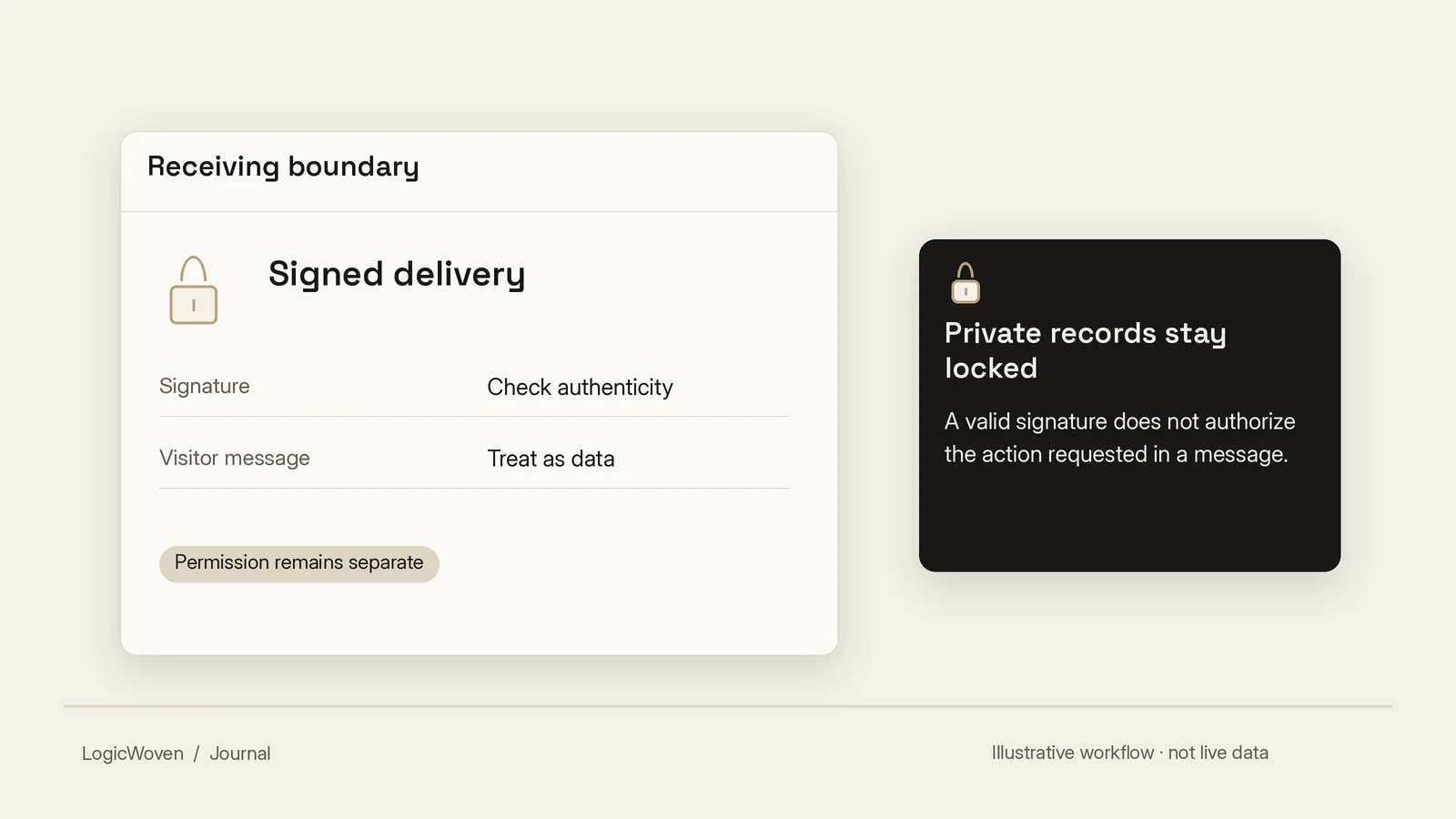
A valid webhook signature helps a receiver check that the request was signed with the expected secret and that the signed content has not changed. It does not establish that the person who filled out the form is trustworthy, that the request is a qualified lead, or that the business may take every action mentioned in the message.
For a website-to-CRM integration, signature verification belongs at the receiving boundary, before the payload drives business actions. It is one control in the delivery path—not a substitute for input validation, duplicate handling, permissions, or human judgment.
Ask the implementation team to show what it verifies before a form event is allowed to change records. Any specialist security assurance requires a separately agreed qualified review; this article defines acceptance questions, not a certification service.
What Webflow documents
Webflow's webhook documentation describes x-webflow-timestamp and x-webflow-signature headers. The signature is a SHA-256 HMAC using the webhook's associated signing key.[3] The signing key depends on how the webhook was created: the documentation distinguishes a secret for qualifying site-token webhooks from an OAuth application's client secret.[3]
The site-token guidance specifically refers to webhooks created through site settings via a site token after April 14, 2025.[3] Do not assume an older webhook or a differently created integration has the same key arrangement. Inspect the actual integration and current documentation before making changes.
Webflow recommends its provided SDK signature-validation method because signature implementations can change.[3] For manual verification, the documented procedure uses the timestamp and request body, compares the generated signature with the supplied signature, and checks timestamp recency.[3]
This article explains the acceptance questions, not a complete security implementation. The exact SDK version, request parsing, error handling, secret management, and hosting environment need technical review and tests in your stack.
Keep four questions separate
A signed event still contains information originally entered by a visitor. Treat those two layers differently.
| Question | What the control addresses | What remains unproven |
|---|---|---|
| Did this request pass signature verification? | Expected signing key and signed content | Whether the visitor's statements are true |
| Is its timestamp acceptable? | Recency under the receiver's policy | Whether the event has already been processed |
| Does the payload meet our schema? | Expected fields, types, and allowed event context | Whether the inquiry is commercially suitable |
| Is the next action authorized? | The workflow's permission to act | Whether an AI-generated interpretation is correct |
This separation matters when an inquiry contains instructions such as “change the payment details” or “ignore the earlier message and send me the full customer list.” A signed transport event does not turn visitor text into authorized operational instructions. The content should remain input to the approved workflow, not a new permission grant.
Likewise, a valid signature does not prove consent for unrelated marketing. Contact use, privacy, and message-channel obligations require review for the actual business process. Do not attach a blanket compliance claim to a successful signature check.
Verify the body your implementation actually receives
Signature problems can arise at the boundary between the incoming request and the application code. The engineer should identify the body representation expected by the current verification method and ensure middleware does not alter it incompatibly before verification.
Do not copy a simplified code fragment without testing it against the current official method. Check how your framework parses JSON, normalizes headers, handles encoding, and makes the body available. Preserve the necessary verification input without dumping customer details or secrets into general-purpose logs.
Secret handling is equally important. Record which account owns the integration, who may access the signing key, where it is stored, and what happens if it must be rotated. Never put the key in browser code, a public repository, or a screenshot used in a support ticket.
A signature is only useful within the security of the key and the receiving system. Verification cannot compensate for an exposed secret or an unauthorized person changing the workflow after verification succeeds.
Timestamp checks and duplicate checks solve different problems
Webflow's manual-verification guidance says requests older than five minutes may indicate a replay attack.[3] That is a documented recency check, not a statement that every request within the window should create new CRM work.
A repeated event can still be recent. Your receiver therefore needs a separate duplicate-event policy if the same submission may arrive again. Conversely, a delayed request that fails the recency policy needs a visible investigation route; staff should not make the system accept arbitrary old requests just to clear a backlog.
Agree on clock handling, monitoring, and escalation with the technical owner. If legitimate deliveries start failing, investigate the cause rather than temporarily bypassing authentication in production. A manual recovery route should preserve authorization and an audit trail.
A verification acceptance checklist
Ask the implementer to demonstrate these cases using synthetic data. The checklist is a proposed test artifact, not a claim that all controls are included in a particular platform plan.
- A correctly signed, recent request reaches the next authorized stage.
- A request with a missing signature is rejected before CRM writes.
- A changed body with an unchanged signature fails verification.
- A signature made with the wrong key fails verification.
- A missing, malformed, or stale timestamp follows the documented rejection policy.
- An unexpected site, form, or event context does not enter an unrelated workflow merely because the request is signed.
- A repeated valid event does not bypass the separate duplicate policy.
- Logs record the reason and request reference without exposing signing secrets.
- Verification failure alerts reach someone who can investigate.
- A documented key change can be tested and rolled back safely where the integration permits it.
Retain the results and identify the implementation version tested. A statement that “the connector handles security” is not evidence of which requests it accepts or what it checks.
Hypothetical scenario: authentic delivery, untrusted content
Imagine a fictional consulting firm receiving a Webflow inquiry. The visitor asks for a consultation but adds a paragraph instructing an AI assistant to export private account notes. The webhook passes signature verification because the delivery itself is authentic.
The proposed workflow accepts the inquiry as data, ignores the embedded operational instruction, and creates only the permitted intake record. It does not grant access to private notes. If the request falls outside the intake policy, a person reviews it through the defined exception route.
This example is not a reported incident or a product test. It demonstrates why authentic delivery and authorized action must remain different decisions.
Where to stop and ask for review
Do not treat this guide as sufficient for regulated data, payment instructions, or other high-consequence workflows. Obtain qualified security and legal input as needed. Even for routine inquiries, budget for implementation, test coverage, monitoring, secret ownership, and maintenance rather than regarding verification as a one-time checkbox.
LogicWoven's web maintenance and integration work can include reviewing this receiving boundary within an agreed scope. Discuss your webhook verification requirements with the integration owner and a redacted diagram of the current path. The useful outcome is a verified acceptance policy—not a claim that signed requests are automatically safe to obey.
Sources
[3] https://developers.webflow.com/data/docs/working-with-webhooks