
An AI approval queue needs a primary reviewer, a backup, a coverage window, and a rule for work that waits too long. If those responsibilities cannot be staffed, narrow the automation before launch. A paused workflow is not a useful human safeguard when nobody knows they are expected to respond.
n8n's human-review documentation says the workflow pauses and sends a review request through the configured channel; the reviewer sees the proposed tool and its parameters.[1] That makes reviewer capacity an operating requirement. Adding the node does not create time in someone's day or authority to approve the action.
The design problem here is queue coverage: how a small team makes decisions without turning its owner into a permanent notification desk. The choice of which actions require approval should already be explicit; staffing is not a reason to quietly remove consequential gates.
Name the work before naming the reviewer
List the kinds of decisions that will arrive. Approving a routine draft, checking a customer-specific commitment, and authorizing a record deletion require different context and authority. Sending all of them to the same channel may make configuration easy while making review difficult.
For each request type, record what the reviewer must inspect and what they are allowed to decide. A marketing coordinator may check copy against an approved fact sheet without having authority to approve pricing. A backup who can acknowledge a request is not necessarily a backup who can authorize it.
Separate review effort from elapsed waiting time. A decision may take little active work but wait until the authorized person returns. Measure both during a pilot. Do not promise customer turnaround based only on how quickly the AI prepares the request.
Build a reviewer and backup map
Use a coverage map rather than a list of notification destinations. The map should survive a vacation, a role change, and a busy day.
| Request class | Primary role | Backup role | Coverage rule | Unavailable outcome |
|---|---|---|---|---|
| Routine customer draft within approved policy | Service coordinator | Trained office backup | Defined staffed hours | Hold send; retain customer task |
| Commercial commitment outside standard terms | Authorized business owner | Explicitly delegated decision-maker | Confirmed decision window | Manual escalation; no automatic approval |
| Public content release | Editorial owner | Approved release backup | Agreed release review period | Keep asset in draft |
| Sensitive record action | Designated system owner | Separately authorized backup | Planned review availability | Do not execute |
These roles are illustrative. Replace them with real assignments and confirm that each person has appropriate access, training, and authority. If there is no valid backup, say so in the plan. A visible single-person dependency is more useful than a fictional coverage promise.
Document who maintains the map. Changes in staffing must lead to updated permissions and routing, not just an informal message that somebody else is covering.
Make requests reviewable without investigation
An approval request should present the action, target, important parameters, source context, and the consequences of approval. It should also identify the underlying business task and proposed version.
n8n documents the $tool.name and $tool.parameters variables for presenting the proposed tool call to the reviewer.[1] Those fields can help expose what will execute, but the implementation must still decide which additional business context is necessary and safe to display.
A request that says only “approve AI action?” forces reviewers to reconstruct the task or approve without understanding it. A request that pastes an entire customer history may expose too much data and bury the decision. Use the smallest sufficient review packet, with authorized access to supporting details where needed.
Show material changes when a request returns. Reviewers should not have to compare long messages from memory to discover that the recipient or commitment changed. Never count a click as informed review without testing whether a staff member can explain the proposed action.
Establish queue ownership and escalation
The queue itself needs an owner, distinct from the person authorized to decide every request. That owner checks for missing reviewers, stale requests, and routing errors. They may coordinate resolution without acquiring permission to approve restricted actions.
Agree on an aging rule for each request class. Avoid a universal deadline copied from a generic template: a draft campaign post and a customer inquiry can have different consequences if they wait. When the threshold is reached, notify the appropriate backup or coordinator and preserve the original request history.
Escalation must not mean automatic approval. Nor should it broadcast the same sensitive request indefinitely across more channels. Define a bounded path that ends in a visible manual decision or a held action.
Do not assume the review tool supplies your preferred expiry, reassignment, or notification-deduplication behavior. Verify what the actual integration supports and specify additional controls where needed. An unanswered request and a denied request are different states and should not be silently collapsed.
Hypothetical scenario: the reviewer is on a service visit
Imagine a fictional small installation business whose owner approves customer-facing commitments. The AI assistant can prepare drafts while the owner is away, but it cannot send them without review. Several requests accumulate during an onsite appointment.
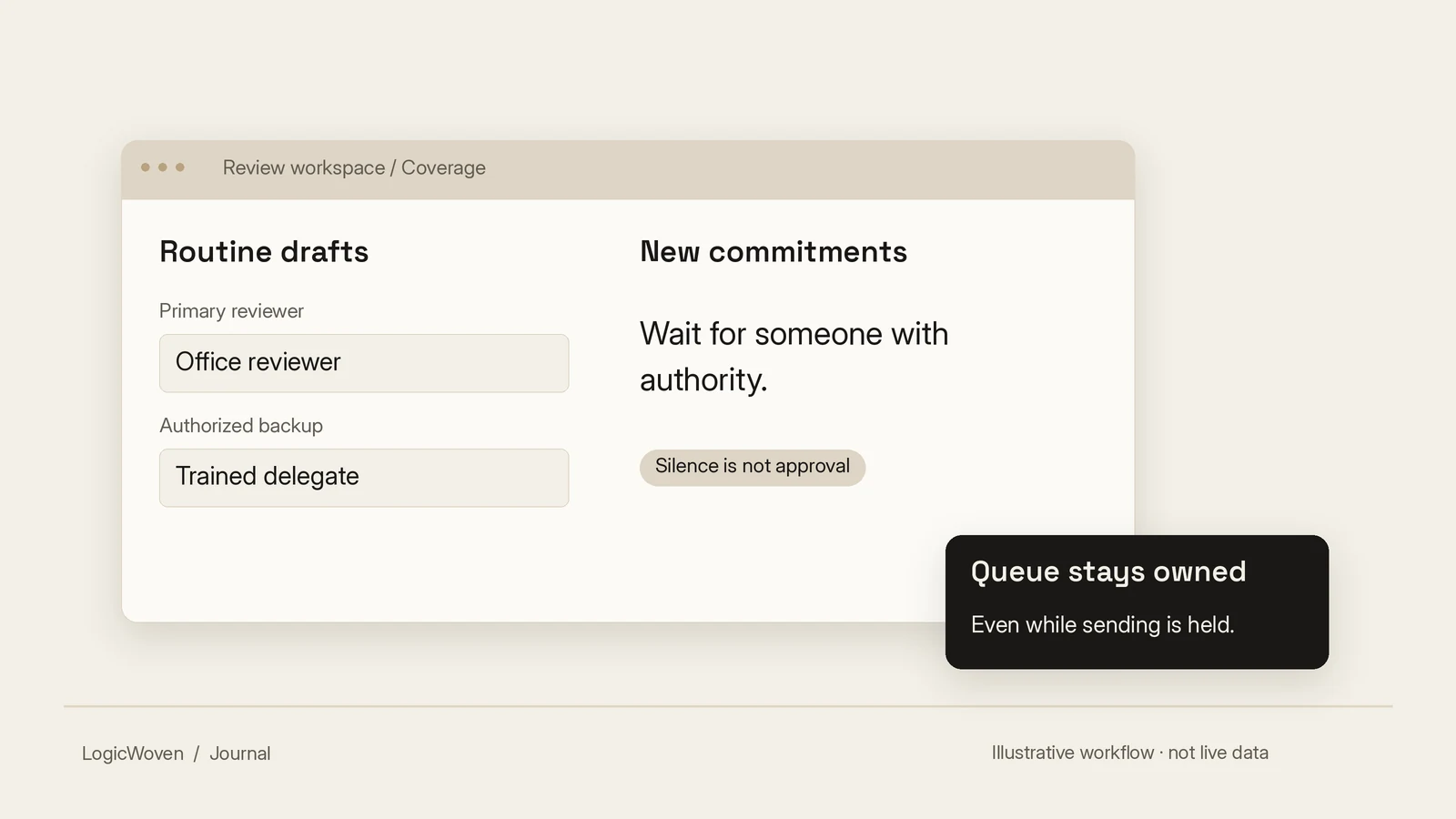
Under the proposed plan, routine drafts within established policy go to a trained office reviewer. Requests involving new commitments remain with the owner or an explicitly authorized delegate. The queue coordinator sees which items are waiting and makes sure the underlying inquiries remain owned.
If nobody with the required authority is available, the action stays on hold and the team uses its agreed manual customer-handling procedure. The system does not treat silence as consent or imply a confirmed appointment.
This scenario illustrates a staffing design. It is not a claim that LogicWoven has measured queue performance or that a particular tool automatically implements these controls.
Pilot the busiest plausible review period
Test coverage when people are occupied, not only during a demonstration where everyone watches the same screen. Use synthetic requests and agree on the observation window before the pilot.
Record the following for each review item:
- Request class and creation time.
- Assigned reviewer and applicable coverage window.
- Time the request was first inspected.
- Active review effort, including necessary clarification.
- Approval, denial, or unresolved status.
- Backup involvement and reason for escalation.
- Whether the underlying customer or content task remained visible.
Look for repeated friction. If reviewers need to ask for the same missing source every time, improve the request packet. If one person receives decisions beyond their authority, fix the routing. If legitimate review effort exceeds available capacity, reduce incoming scope or add authorized coverage rather than encouraging faster clicks.
Decide what the team can sustain
An approval queue introduces real operating work. Include review, coordination, training, absence coverage, and exception handling alongside implementation, software, and maintenance costs. Recovered drafting time is not automatically a cash saving, particularly if review simply shifts effort to a more constrained person.
Begin with a small request class whose decisions and coverage are clear. Keep consequential actions gated. For higher-risk or regulated work, obtain appropriate qualified review; a staffed queue is not a compliance guarantee.
LogicWoven's project coordination and AI workflow work can help turn approval requirements into a usable responsibility map. Discuss an approval-queue design with the people expected to review requests, their coverage constraints, and a sample decision packet. The right starting scope is the one your team can operate—not the largest queue the software can create.
Sources
[1] https://docs.n8n.io/build/integrate-ai/ai-examples/human-in-the-loop-for-tools