
A HubSpot AI budget needs more than a credit allowance. It needs a written decision about who may increase spending, what happens when a limit stops work, and which customer inquiries a person will handle instead. Start with the account's actual billing settings, then connect each credit-consuming feature to an accountable business owner.
For an owner or operations lead, the immediate decision is not whether to buy more credits. It is whether the business has authorized the financial commitment and can keep serving customers if it chooses not to spend more.
Confirm the boundary; leave billing changes to the approver
Before writing a stop rule, ask the billing owner for the active mode, relevant limits and next reset date. HubSpot documents different consequences for auto-upgrade and pay-as-you-go; the former can increase capacity for the rest of the commitment term.[1] This policy needs that commercial decision as an input, not another explanation of how to choose a billing mode.
Record the authorized exposure and who can change it. The person configuring an integration must not assume a build instruction authorizes a purchase. Keep the dated account evidence in a restricted internal record. Review renewal exposure and setting-change timing separately before relying on a new mode.
Separate a spending ceiling from a continuity plan
For accounts using only included credits, HubSpot says usage-based features pause when those credits are exhausted until reset or purchase of additional capacity.[1] It also documents account-level spend limits and feature-level limits; a feature limit does not allocate or reserve credits for that feature.[1]
The operational implication is simple: a ceiling answers “how far may this consume?” It does not answer “who handles the work afterward?” A finance decision to stop additional spending needs a matching operations decision about what stops, what continues manually, and who is informed.
Do not label a credit setting as a complete dollar budget. Ask the billing owner to translate the relevant settings into expected charges under the actual agreement. Include connected software, implementation work, review time, maintenance, and exception handling in the wider workflow budget. This article's worksheet is a proposed management tool, not a claim that HubSpot includes every cost in its credit meter.
If several workflows depend on the account, inspect shared-credit contention before assuming a feature ceiling protects customer work.
The LogicWoven credit stop-rule worksheet
Complete one row for each enabled credit-consuming use case. Use job titles while drafting, then assign actual authorized people before implementation.
| Policy field | Decision to record | Evidence to retain |
|---|---|---|
| Business purpose | What useful completed work justifies consumption? | Approved workflow description |
| Feature owner | Who answers for its customer impact? | Named owner and backup |
| Billing authority | Who may buy capacity or change a limit? | Written delegation |
| Active billing setting | What is enabled now, not merely the default? | Dated account check |
| Spending boundary | Which account and feature limits apply? | Settings and contract review |
| Warning response | Who checks alerts and decides the next step? | Monitored destination |
| Stop condition | When must the team pause discretionary work? | Plain-language rule |
| Manual alternative | Where do pending inquiries go? | Staffed queue and instructions |
| Restart authority | Who confirms safe resumption? | Approval record |
| Review trigger | What changes require another review? | Owner and next review date |
A usable stop rule is specific: “When the approved boundary is reached, stop optional research, route unresolved requests to the office queue, and request a billing decision. Do not purchase additional capacity under the integration team's build authorization.” This is illustrative policy wording; adapt it to the account's available controls and your service commitments.
Keep a distinction between a business instruction and a configured control. If the policy says to stop optional work before customer-facing work, someone must verify that the actual workflow can enforce that ordering. A document alone cannot prioritize a shared credit pool.
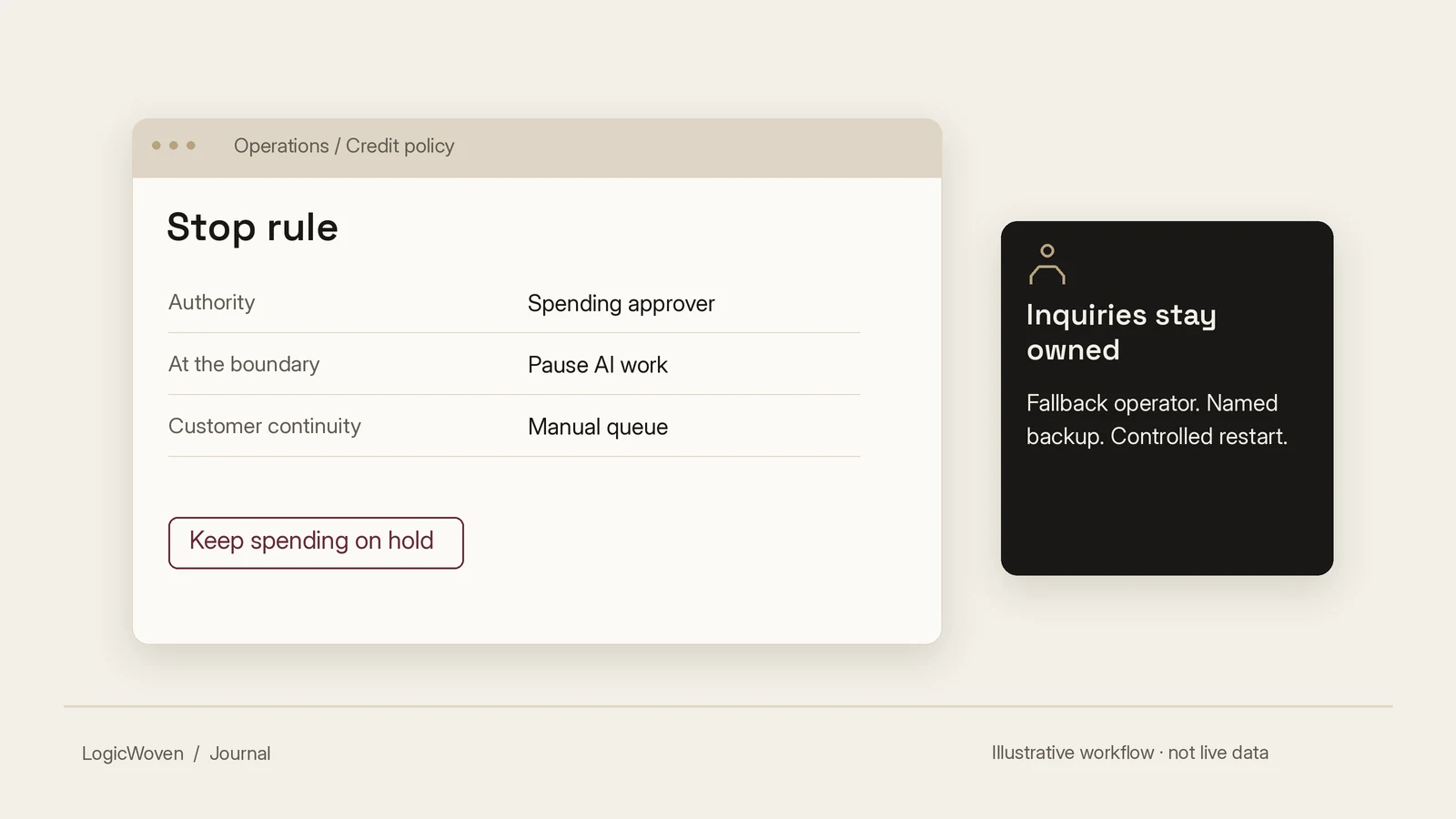
A filled stop-policy card: preserve customer ownership
The following card is hypothetical. It specifies a response to a boundary, not a configured HubSpot control or a tested client procedure.
| Decision | Example policy entry |
|---|---|
| Trigger | Authorized operator confirms that the approved account boundary has stopped the affected feature |
| Immediate authority | Operations coordinator may pause this workflow and take ownership of its unresolved queue |
| Spending authority | Only the commercial owner or an explicitly delegated backup may authorize additional exposure |
| Customer continuity | Staff inspect original inquiry records and sent-message history before taking over unanswered items |
| No available reviewer | Keep affected items visible; escalate to the named business owner without buying capacity |
| Restart | Technical operator demonstrates the approved route; operations confirms which records remain manual; billing owner confirms any financial change |
Suppose the account pauses while a reply is waiting for review. The coordinator marks that inquiry for manual handling and checks whether anything was sent. The administrator can investigate the pause but cannot purchase capacity merely to clear the queue. If no staff member can take over, the incident remains unresolved; a spending cap has not made customer service complete.
Keep the stop instruction narrow enough to enact. Record the control or manual action that actually prevents further work, the evidence that it took effect, and the location of the customer queue. A written priority does not reserve credits or change the platform's scheduling.
Test the policy without making a purchase
Run a tabletop review using synthetic records. Show the team an example alert, an unresolved inquiry, and a request to increase capacity. Ask the assigned people to explain their next action and identify the authorization they need.
Check whether the backup can find the queue, whether the billing owner understands the commitment, and whether a customer-facing employee can tell which inquiries already received a reply. Test the fallback with sending disabled or with an explicitly authorized test destination. Do not deliberately exhaust a production balance just to demonstrate the policy.
Before accepting the design, resolve any step that depends on “someone will notice.” Record a failed rehearsal as unfinished work, not as a minor documentation issue.
Review useful work, not consumption alone
At each agreed review, compare credit consumption with completed, useful work and unresolved exceptions. Record pauses, manual handling, corrections, and maintenance alongside the account charge. Treat released staff time as capacity unless an actual expense was reduced or avoided.
A stricter limit may control spending while increasing manual backlog. A higher allowance may sustain an unproductive workflow. Neither is automatically the better choice. The decision should connect cost, service quality, and the team's ability to operate the fallback.
LogicWoven can help map CRM workflows, clarify ownership, and scope the integration work around those decisions. Discuss your HubSpot workflow and budget controls. Bring the workflow description and account terms—not passwords or private customer exports—to the discovery conversation.
Sources
[1] https://knowledge.hubspot.com/account-management/understand-hubspot-credits-and-billing