
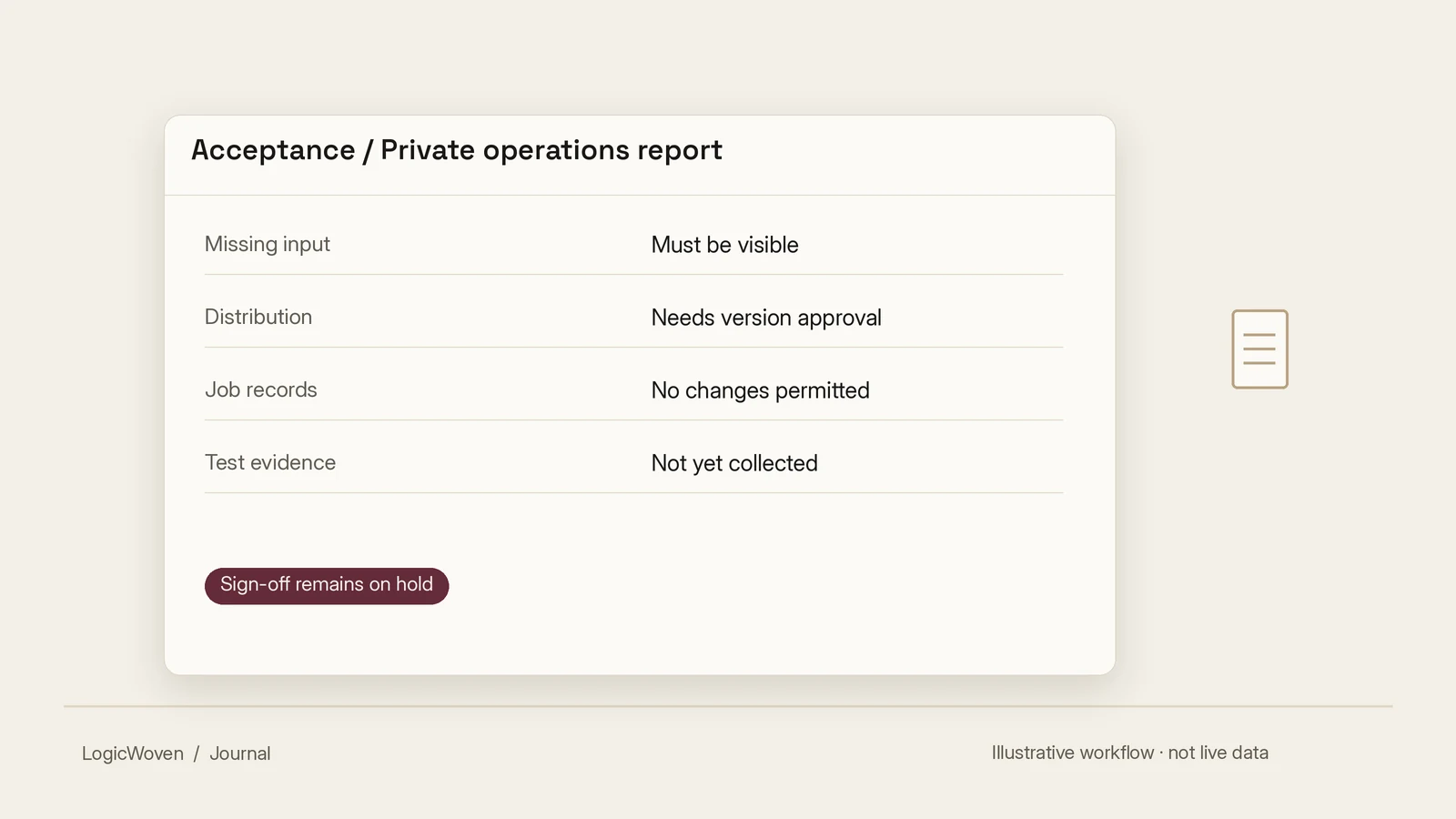
Agree what evidence will justify sign-off before commissioning an automation. Name the expected result, prohibited actions, test conditions and person authorized to accept the delivered version. Keep defects, new requests and blocked tests separate so a successful demonstration does not hide unfinished obligations.
This buyer's guide uses an internal report awaiting approval, not another form-to-CRM checklist. The report example and all register entries are synthetic. They demonstrate how to make an acceptance decision; they are not results from a LogicWoven engagement or a contract template.
Write the result and the exclusions together
Suppose a business wants a weekly operations report drafted from an approved job-status export. Its proposed scope reads: “Create a private report for the stated reporting period, identify missing input, and make the draft available to the designated reviewer. Distribution requires approval of that version. Do not modify job records or send the report to customers.”
This statement separates preparation from distribution and says what the supplier is not being hired to automate. The buyer must also identify the export fields, reporting-period boundaries, approved calculations and review destination. An attractive report with the wrong date window is not the required result.
Choose fixtures before pricing: a complete export, an export with a missing required field, an empty but valid period, and an unavailable source. Use invented records and an isolated review destination. Agree which empty conditions mean “no work in this period” and which mean “we could not inspect the source.” Otherwise the build can produce a reassuring blank report from a failed read.
Convert the scope into a sign-off register
Each row needs a criterion agreed before testing, an evidence location, a reviewer and a result for the tested version. The entries below are a filled hypothetical register for build REPORT-B. “Pass” and “fail” describe the fictional example only; no cases were executed for this article.
| ID | Agreed criterion | Illustrative evidence or gap | Example disposition |
|---|---|---|---|
| A01 | Report identifies the approved period and source fixture | Draft header matches fixture PERIOD-A and source reference | Pass for this fixture |
| A02 | A missing required field produces an explicit incomplete status | Draft omits the field without warning | Defect; builder corrects mapping and retests |
| A03 | An unapproved report cannot be distributed | Controlled destination remains empty; decision log shows pending | Pass within the documented observation window |
| A04 | Changing the approved report requires a new release decision | Revised draft remains held and earlier approval stays in history | Pass for the tested change |
| A05 | Authorized backup can retrieve and review the private draft | Backup account access is unavailable | Blocked; buyer's account owner supplies access before retest |
| C01 | Add a customer-facing summary in a second language | Not present in the accepted scope | Change request; separately estimate and approve |
Attach the actual fixture, build identifier and observed output when using the register. A status word without evidence is only an assertion. Do not put passwords or entire confidential exports into a broadly shared project sheet.
The distinction matters commercially. A02 is a defect because the agreed behavior is missing. C01 may be useful, but it changes the audience, language and review scope. It must not be smuggled into acceptance as an original obligation. A05 is neither passed nor necessarily a builder defect: the test cannot yet establish what the backup can do.
Decide which failures must block acceptance
Identify essential criteria before seeing test results. In this example, accurate period selection, missing-data disclosure and control of distribution are proposed essential conditions. The buyer should not authorize routine distribution while one of them fails merely because the layout looks finished.
For each unresolved row, record the consequence, owner, required evidence and next decision date. “Fix later” is not a condition unless someone accepts the responsibility and the agreement permits that approach. If limited acceptance is appropriate, name the accepted portion precisely: private drafting might be accepted while distribution remains disabled.
Acceptance, payment, warranty and contractual remedies depend on the actual agreement. Obtain qualified advice for those terms. This register makes evidence visible; it does not decide anyone's legal rights or authorize a payment.
Set the test window and the evidence boundary
Agree when the report should be available, which clock and timezone define its period, how the source snapshot is chosen and how long the reviewer observes for unintended distribution. Set these from the business requirement and proposed architecture. There is no universal deadline or error tolerance supplied here.
Ask someone other than the builder to follow the acceptance instructions. They should be able to find the fixture, identify the tested version and explain why each row passed, failed or remained blocked. If they need the builder to reinterpret every criterion, revise the specification before signing it.
A report may be technically generated while still being unusable because its source is stale or its reviewer cannot access it. Read the output in the destination the buyer will actually use. A screenshot of the workflow diagram is not equivalent evidence.
Use product failure documentation where it applies
Choose dependency tests from the actual integration, not from a generic list of outages. For a separate website-intake project, Webflow documents retries after unsuccessful webhook responses and possible deactivation after repeated failures.[4] Those documented behaviors would inform that project's delivery criteria; they do not describe the internal reporting example above.
Use the complete form-to-CRM journey test for that transport work. Keep this register focused on who decides acceptance, which version they are accepting and what remains unresolved. The implementation team can attach detailed test plans rather than copying every transport check into the buyer's sign-off sheet.
Retest the repair without erasing the earlier decision
For A02, retain the failed REPORT-B evidence. Give the repaired build a distinct identifier and rerun the missing-field fixture. Check related cases: a genuinely empty period should not be mislabeled as a failed source, and the new warning should not disappear during export. Record the retest beside the original failure rather than overwriting history.
For A05, obtain authorized backup access and run the operator test. Until then, do not claim backup review is available. For C01, record whether the buyer defers it, commissions a separate change or revises the original scope by agreement. A change request should not silently alter fixtures already used to accept the build.
Close the gate with a versioned decision
The final acceptance record should name the delivered version, agreed scope, evidence set, unresolved exceptions, decision and authorized approver. Keep operating ownership and future maintenance in the handover agreement; passing today's tests does not guarantee future availability, revenue or savings.
LogicWoven's project and product management work includes requirements, delivery coordination and handover planning. Discuss an automation acceptance specification with one proposed outcome and the evidence your buyer would need to sign it off.
Sources
[4] https://developers.webflow.com/data/docs/working-with-webhooks