
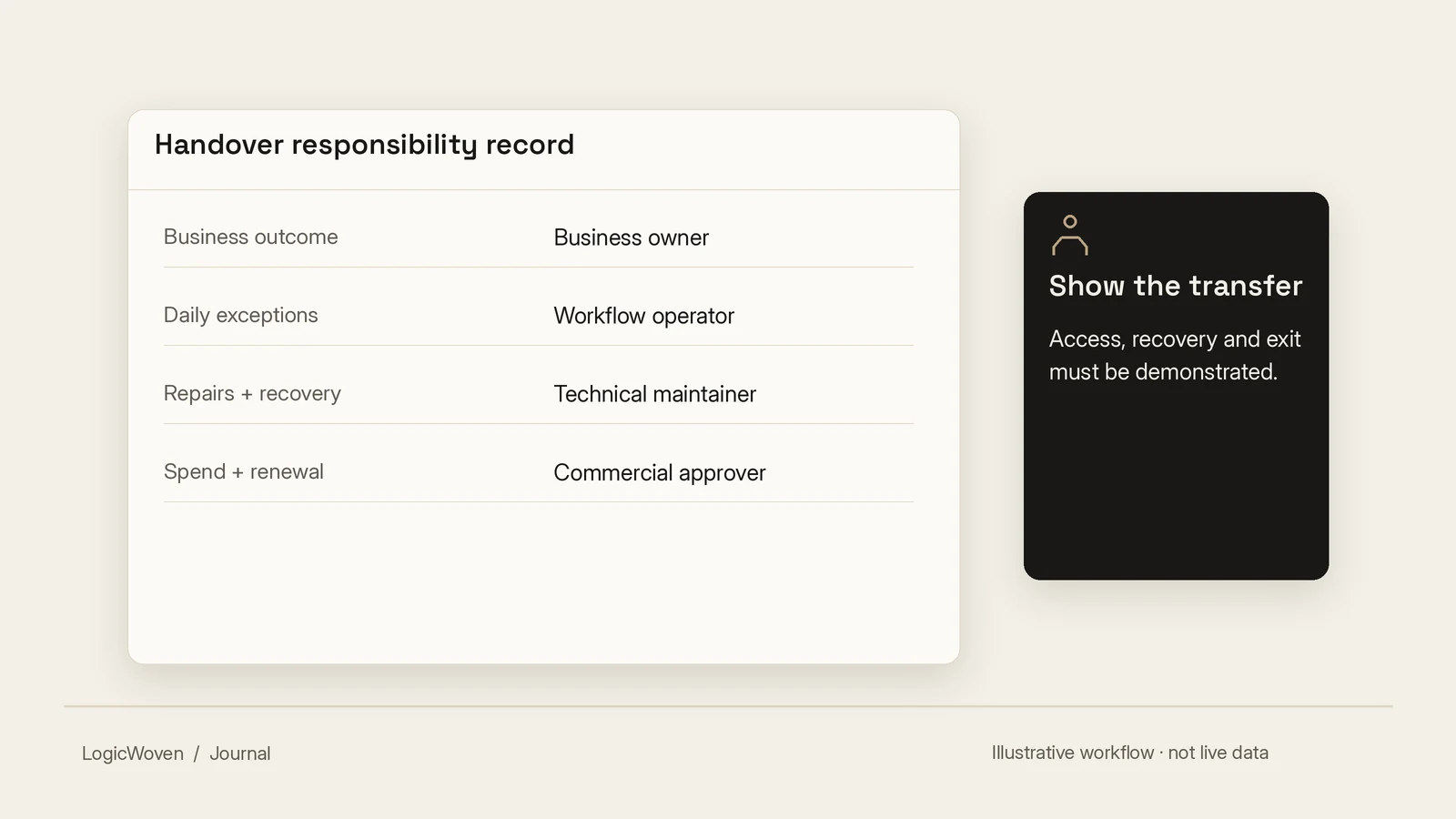
The business should know who owns the accounts, who responds to failures, who can authorize spending, and who approves changes before it accepts an automation handover. The builder may support the workflow, but “contact the developer” is not a complete operating model.
For a manager buying an integration, the decision is whether the proposed handover leaves the business able to operate the system without depending on one person's memory. A successful demonstration shows that a path worked. Handover should show that authorized people can understand, maintain, recover, and eventually replace that path.
Why a launch demo is not enough
Documented platform behavior illustrates the need for continuing ownership. Webflow says repeated webhook delivery failures can lead to deactivation and an email notification.[5] Someone must know where that notification arrives, what business work is affected, and who has authority to investigate.
Financial responsibilities also survive the build. HubSpot's credit documentation says auto-upgrades can increase capacity for the remainder of a commitment term, while downgrading additional capacity is restricted to the end of that term.[1] A workflow owner and a renewal approver may need to be different people.
Those examples do not mean every project uses Webflow or HubSpot. They show why handover must cover events after launch: failed delivery, lost access, billing changes, staff turnover, and changes in the underlying business process.
If the project has not yet been selected, choose your first automation pilot around a failure the team can safely manage.
Assign four kinds of ownership
Start with the business owner: the person accountable for whether the workflow serves its purpose. That person approves priorities and decides whether to continue, narrow, or retire the automation.
Next, assign the operational owner: the person who sees unresolved work and coordinates manual handling. For a lead workflow, this could be the office manager rather than the technical administrator.
Then identify the technical owner: the person or contracted team authorized to diagnose integrations, maintain the runtime, and implement approved fixes. Define the support arrangement rather than assuming availability.
Finally, name the commercial owner: the person who approves purchases, tracks commitments, and makes renewal decisions. Giving someone access to configure a workflow should not silently give them authority to change the business's spending obligations.
One person may hold several roles in a small company. The roles still need separate decisions, backups, and access rules. “Everyone owns it” usually leaves the next action unspecified.
Agree how the remote work will run
For a remote engagement, including one involving a buyer in the United States or the United Arab Emirates, agree working arrangements rather than inferring them from the supplier's location. Use the same questions wherever the parties are based. This is a proposed agreement to complete together, not a statement of LogicWoven's support hours or response commitments.
Record the following in the project brief, with a named owner for each unresolved decision:
- Channels and decision record: Project channel ; location for written updates, meeting notes and approved decisions . Identify which record governs if feedback arrives in several places.
- Timezones and overlap: Buyer timezone ; delivery-team timezone ; agreed meeting or review window in both zones ___. Check the actual dates and any clock changes. If there is no shared working window, agree the asynchronous review route instead of assuming someone will stay online.
- Updates and blockers: Update cadence ; next update owner ; blocker escalation route ___. Agree where delayed inputs and unanswered questions are visible.
- Milestone review: Deliverable and version to review ; acceptance evidence ; named approver and backup ; agreed review date . An unavailable approver leaves the decision pending; silence is not acceptance.
- Changes and authority: Person authorized to change scope or approve additional cost ; written change record . Record the effect on deliverables, timing and cost before starting changed work. Someone providing feedback is not automatically authorized to buy more work.
- Access and escalation: Person authorized to grant or revoke access ; approved credential-sharing route ; escalation contact if access or a decision is blocked ___. Agree what can continue safely and what must pause. Keep secret values out of the brief.
For example, a hypothetical milestone note might read: “Review the routing-map version named in the shared brief. The operations lead checks the exception cases; the commercial owner approves any added migration work. If either decision is missing, log the blocker and hold that part of the build.” This illustrates authority and a waiting state, not a promised turnaround.
Carry these decisions into the responsibility sheet below. The remote agreement says how people will coordinate; the sheet records who owns the system, and the exit section records how it can be transferred. None of these documents substitutes for agreed support terms.
The LogicWoven handover responsibility sheet
Use this worksheet during procurement and complete it before acceptance. Replace role labels with named people or contracted parties. Keep secret values in an approved credential system, not in the sheet itself.
| Responsibility | Named primary and backup | Handover evidence |
|---|---|---|
| Business outcome | Business owner / delegated backup | Purpose, scope, and success definition |
| Accounts and billing | Account owner / billing backup | Account inventory and authorized access |
| Credential custody | Technical custodian / approved backup | Storage location and recovery procedure, not secret values |
| Unresolved work | Operations owner / office backup | Queue, escalation rule, and handling instructions |
| Failure alerts | Incident responder / secondary responder | Monitored destination and acknowledgment test |
| Technical changes | Maintainer / alternate support route | Repository or configuration access and change procedure |
| Spending and renewal | Commercial approver / delegate | Commitment register and decision dates |
| Recovery and restart | Authorized recovery owner / backup | Runbook and observed recovery test |
| Data retention and export | Business data owner / delegate | Approved retention and export requirements |
| Exit or replacement | Business owner / successor | Export inventory and transition responsibilities |
Add an explicit status to every row: accepted, awaiting access, awaiting training, or unresolved. A person listed in a document has not necessarily accepted the responsibility. Obtain acknowledgment from the owner and backup.
Hypothetical handover: a website-to-CRM integration
Imagine a small service business receiving a website integration from an external builder. This example is illustrative, not a LogicWoven project record.
The demo shows a test inquiry appearing in the CRM. During handover, the office manager asks how to find submissions that lack an assigned owner. The builder can inspect technical logs, but the office manager cannot access that view. The alert mailbox also belongs to a staff member who no longer handles operations.
The right response is not to describe the integration as finished because the test passed. The parties add an accessible exception view, update the approved alert route, and document how the office manager requests technical help. The billing owner separately confirms which subscriptions the workflow depends on.
The remaining risk may be acceptable under an agreed support scope, but it should be visible. Handover is the moment to resolve that decision, not to hide it in a generic “maintenance recommended” note.
Demonstrate transfer, not just documentation
Ask an authorized operator who did not build the workflow to perform a short walkthrough. They should locate the workflow description, find a synthetic inquiry, identify its current state, and explain who handles an exception.
Ask the technical owner to locate the relevant configuration and recovery instructions. Where appropriate and authorized, demonstrate restoration in a nonproduction environment. Record what was observed and what was not tested. A written backup policy is not evidence that a restore has succeeded.
Ask the commercial owner to identify the renewal decision and explain who can approve a capacity change. Do not make a purchase to prove that access exists. Read-only account inspection and written authority can resolve the planning question without creating a financial commitment.
If the walkthrough depends on the builder narrating every click, include more training or simplify the operating procedure. A handover pack should support the operator, not merely archive the builder's work.
Agree acceptance before buying a build so the handover walkthrough has written criteria rather than a last-minute definition of done.
Specify how the operator will monitor the business handoff between those walkthroughs, including what happens when the monitor itself lacks evidence.
Put maintenance and changes in different boxes
A support agreement should explain what routine checks, incident diagnosis, and minor corrections include. It should also explain which requests require a new scope, such as adding another business unit, changing the CRM, or introducing customer-facing AI actions.
Define coverage hours, escalation routes, response expectations, and exclusions only where the parties have actually agreed them. Do not assume continuous monitoring or immediate repair from the phrase “ongoing support.” Include the fees or quotation process in the commercial agreement, not as an invented standard rate. LogicWoven explains scope, support and ongoing costs separately; a project fee does not imply unlimited support.[9]
Account changes can affect both security and continuity. When a staff member leaves or a provider relationship ends, follow the approved access-transfer process. Do not remove the only working credential before establishing authorized replacement access and a recovery route.
For an owner-operated environment, assign self-hosted operating responsibilities explicitly rather than assuming platform support covers the application.
Use the accepted duties to maintain a lead-tool review calendar with change triggers and retained evidence.
Leave an exit path
The business should know what it can export, what configuration it can retain, and what may require rebuilding. Confirm rights, formats, and provider dependencies under the actual agreements. A folder of screenshots is not the same as transferable configuration.
Exit planning does not mean expecting the relationship to fail. It makes the dependency explicit and allows future decisions without guesswork. Include enough context that a new authorized maintainer can understand why the workflow exists and which changes require business approval.
LogicWoven delivers remotely worldwide and can help define automation and CRM delivery responsibilities, coordinate handover, and scope maintenance separately where appropriate.[8] Discuss your automation handover requirements. Bring the proposed support terms and responsibility gaps before the project reaches its final acceptance meeting.
Use the portfolio review to decide whether to keep, repair or retire a workflow, considering its dependencies and transition obligations rather than only its subscription charge.
Sources
[1] https://knowledge.hubspot.com/account-management/understand-hubspot-credits-and-billing
[5] https://developers.webflow.com/data/reference/webhooks