
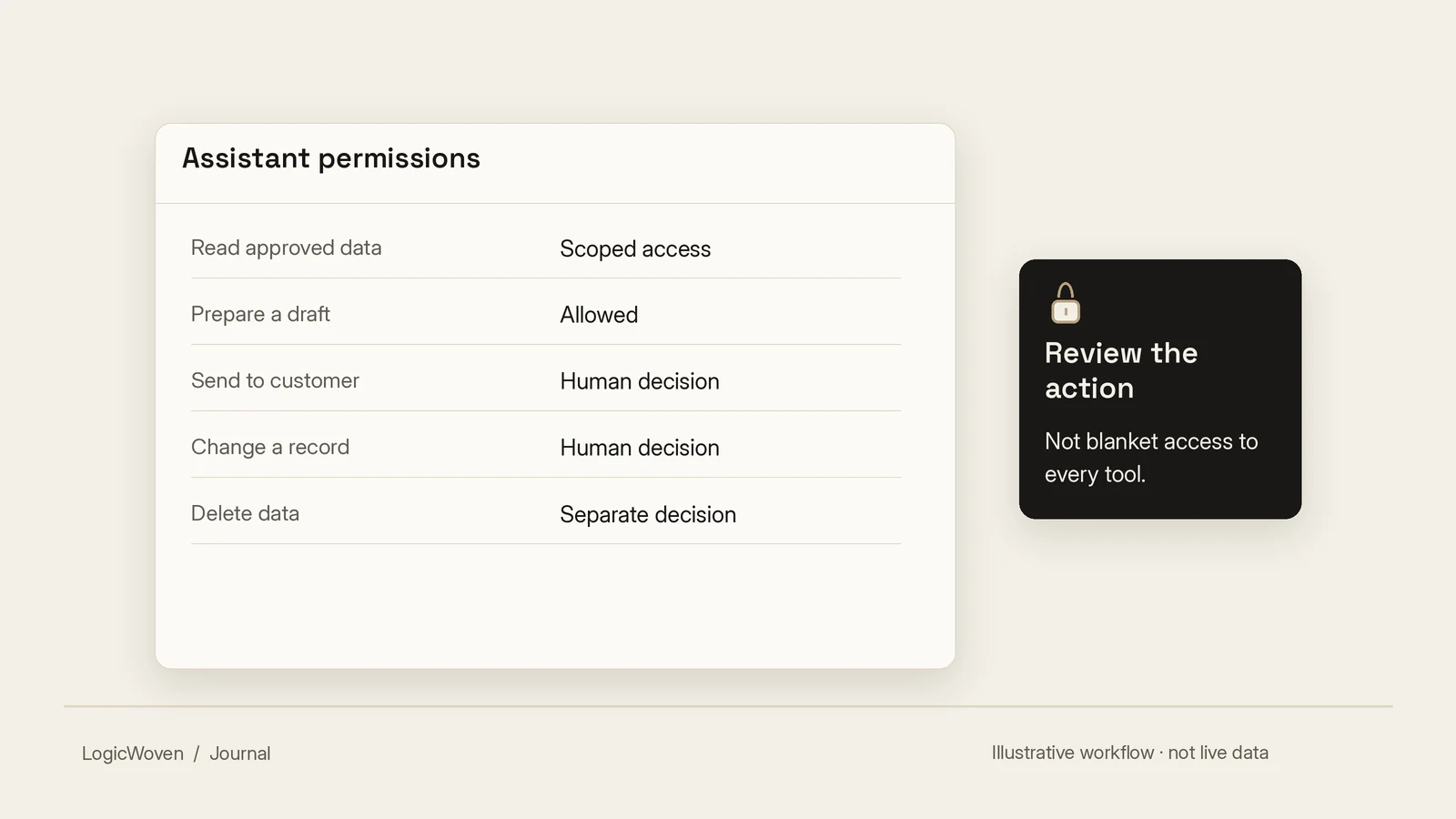
Require human approval for actions that make consequential commitments, expose information to an external recipient, or change important business records. Do not give an agent broad authority simply because it can draft a good answer. Start by separating read, draft, send, change, and delete permissions, then decide which specific tools may perform each action.
The right question for a small team is not “Should every AI output be reviewed?” It is “Which actions must not happen without an accountable person's decision?” A permission matrix makes that boundary inspectable before a workflow touches customers.
Approval belongs at the action boundary
n8n documents human review for selected AI Agent tools.[2] When the agent calls a reviewed tool, the workflow pauses and sends a request showing the tool and its parameters.[2] Approval executes the AI-specified input; denial cancels the action.[2]
That is more concrete than a prompt saying “ask before doing anything important.” The prompt describes desired behavior. The configured review step controls a selected tool call. n8n separately instructs builders to explain the review setup and denial handling in the system prompt.[2] Use both, but do not mistake either for a guarantee that the whole system is safe.
The documented control also has a boundary: it applies to the tools connected through review. Inventory every available action rather than approving the visible email tool while overlooking another connector that can send the same message.
This guide proposes a governance design. It is not a tested n8n implementation, a compliance assessment, or a recommendation to give an agent unrestricted access.
Build the matrix around verbs, not job titles
“Sales assistant” sounds like one role, but it might search contacts, draft an email, change a deal amount, and send a proposal. Those actions have different consequences. Give each one its own row.
Use the following LogicWoven permission matrix as a starting worksheet. The defaults are recommendations for a bounded pilot, not universal rules or product defaults.
| Action | Proposed starting permission | Review should establish |
|---|---|---|
| Read approved reference material | Allow within defined data scope | The source is authorized and relevant |
| Read customer records | Restrict fields and record scope | Access is necessary for this task |
| Create a private draft | Allow in a clearly labeled draft location | No publication or send occurs |
| Send an external message | Require named human approval | Recipient, attachments, wording, and promises are correct |
| Update a business record | Review consequential fields | Target record, old value, new value, and reason |
| Commit money or contractual terms | Keep outside the pilot unless separately authorized | Appropriate commercial authority exists |
| Delete records | Exclude initially or use a separately designed reviewed path | Recovery and retention obligations are understood |
“Allow” never means unrestricted. An agent allowed to read an approved service sheet need not read every document in a shared drive. A drafting tool should not share credentials with a sending tool merely for convenience. Ask the implementer to show the effective permissions, not just the labels on the diagram.
For creative workflows, commission content from an approved interview record before asking a tool to publish anything.
Make approval a real decision
A useful approval request lets the reviewer understand the action without reconstructing the whole conversation. Specify a minimum review packet:
- The proposed action and why it is needed.
- The exact recipient or record identifier.
- The proposed message or field changes, including attachments.
- The approved source supporting factual or commercial statements.
- Any uncertainty, missing information, or conflicting instruction.
- The identity of the requester and the workflow run being approved.
For record changes, show the existing and proposed values where the system permits it. For email, include sender, To, Cc and Bcc, plus the exact attachment contents or an immutable reference. The policy must say which files may leave the business and whether each recipient may receive them. A reviewer who can see only “send follow-up” cannot approve that decision. If the connector hides a material field, keep that action manual until the boundary can be inspected.
n8n provides tool-name and tool-parameter values for review messages, including AI-determined parameters.[2] That capability supports a proposed review packet; it does not establish that every connected application's context will be present automatically. Verify what the reviewer actually sees.
Once the policy is agreed, test AI-assisted email sending against exact message versions, recipient changes and attachment mutations.
Hypothetical example: an inquiry with a pricing request
Imagine an office team receiving a request for availability and a discount. This is a synthetic scenario, not a client case study.
The agent may read an approved service description and draft a response. It may flag that no authorized discount rule is available. It must not invent a discount, book an appointment it cannot verify, or treat the customer's request as authority to change a price.
The office manager reviews a draft that asks a clarifying question and explains the next step. The action request displays the customer address and exact message. If the manager declines it because the wrong service was selected, the send does not proceed through that reviewed call. n8n documents denial as canceling the action, not editing and approving a corrected version automatically.[2]
The team should define a separate correction path. A changed recipient or revised commitment is a new proposal to review, not something to slip into an already approved request. This is a recommended policy that must be tested in the chosen implementation.
Decide what happens when nobody is available
A gate that waits for approval creates work for the team. Give each reviewed action a primary reviewer, a backup, and an expected handling window appropriate to the business. Decide which requests can wait and which must be handled manually.
Do not turn elapsed time into silent permission. For a small pilot, a sensible default is to leave an unanswered consequential action blocked and surface it in an owned queue. Explain any customer-facing delay honestly. If the office cannot staff the review work, narrow the agent's scope rather than pretending that approval is free capacity.
There is a tradeoff here. Reviewing every private draft can consume attention needed for consequential decisions. Removing all review can expose customers to mistakes before staff see them. A risk-based matrix lets the team reserve attention for the actions it has deliberately chosen to control.
Prove the boundary before expanding access
Use synthetic records and disabled external sending to test the design. Attempt an approved action, a denied action, a missing-reviewer case, and an action through an alternate tool. Check whether the logged action matches the reviewed recipient and parameters.
Include a hostile input such as a customer message asking the agent to ignore the approval process. The expected result is that the text remains customer data, not a new authorization policy. Record the observed outcome; do not infer success from a reassuring agent response.
Accept the pilot only when consequential actions stay blocked without authorization and reviewers can identify what they approved. Track rejection reasons, corrections, waiting time, and review workload. Those observations can support a later permission change; a few successful drafts alone cannot.
LogicWoven can help map the action inventory and scope a review-gated workflow using your existing systems. Discuss a bounded AI approval pilot. Start with one action the business can explain, review, and safely stop.